After signing in to your NASTF account, you will be prompted to review and accept the updated NASTF Policies and Membership Agreement. Completion of both steps is required to finalize your policy update.
You may select “Skip for now” and return later. However, all agreements must be completed by March 10, 2026.
Step-by-Step Instructions
Step 1: Review and Accept the NASTF Policies
1. Sign in to your NASTF account.
2. You will be automatically directed to the Policy Agreement Required page.
3. Under Step 1: NASTF Policies, review the full policy document.
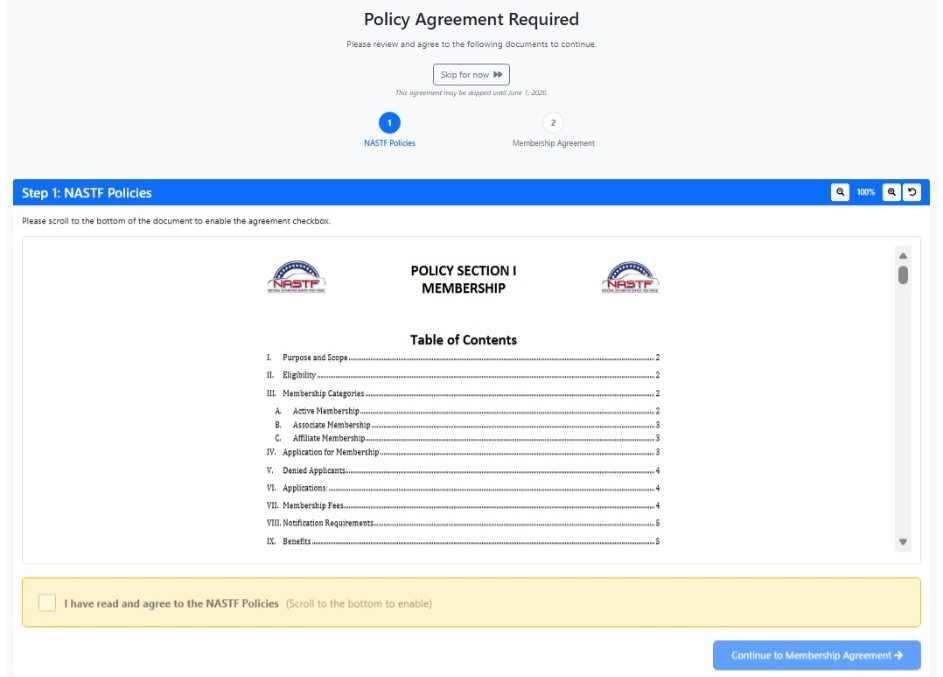
4. Scroll to the bottom of the document.
5. Once enabled, select the checkbox: “I have read and agree to the NASTF Policies.”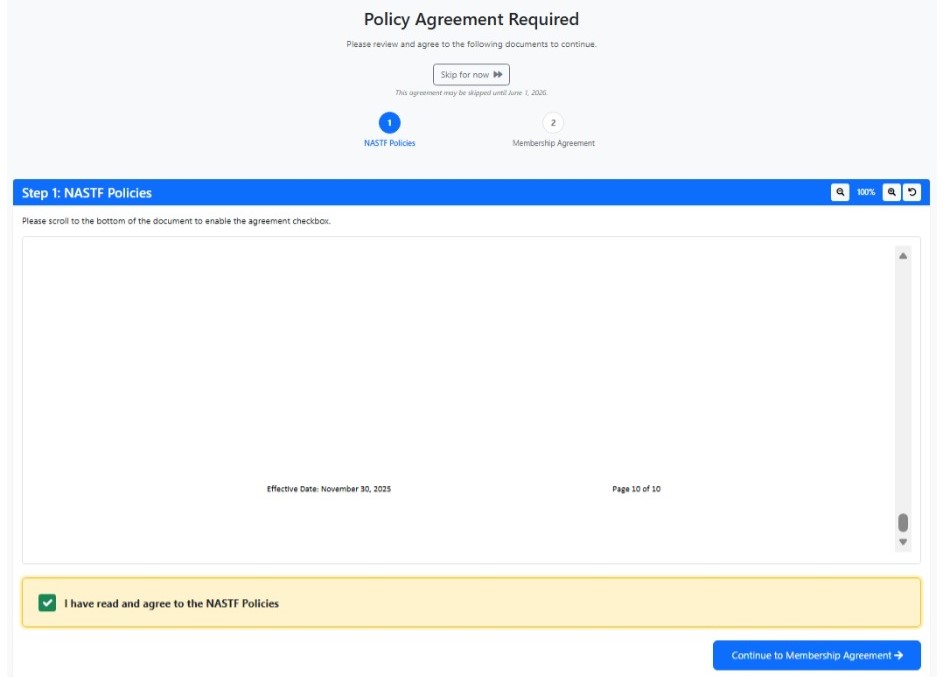 6. Click “Continue to Membership Agreement.”
Step 2: Review and Sign the Membership Agreement
1. Review the full Membership Agreement Addendum.
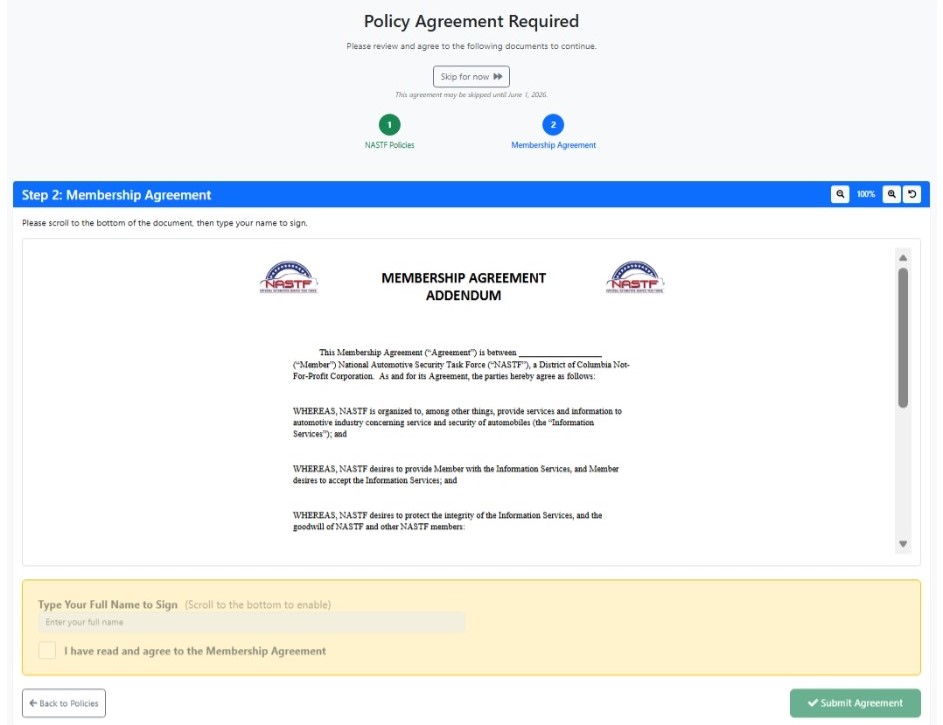
2. Scroll to the bottom of the document.
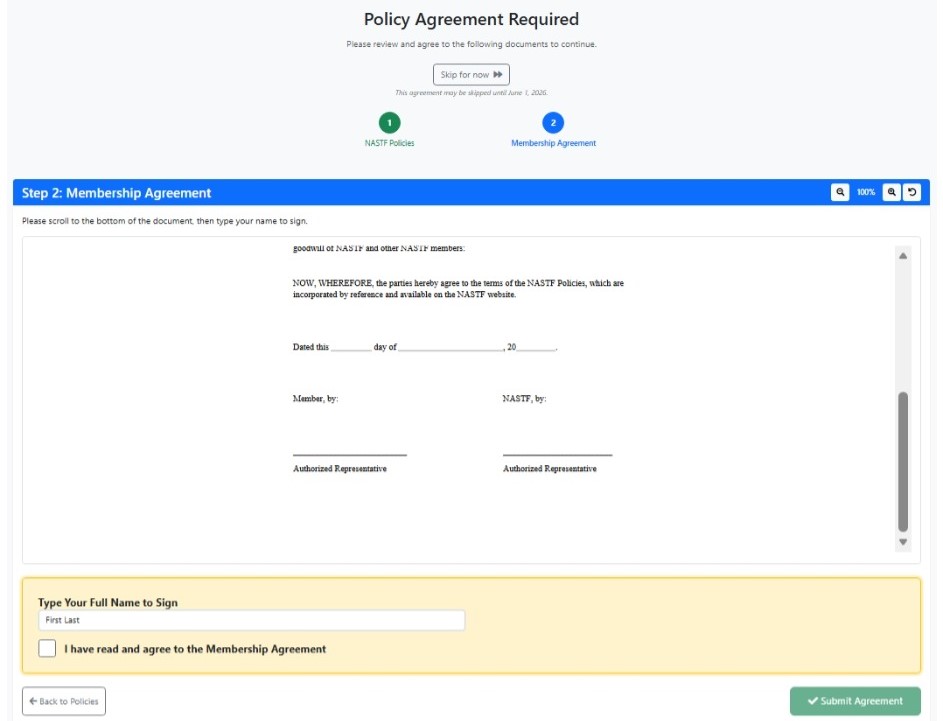
3. In the signature field:
Type your Full Name (First and Last) exactly as requested.
4. Select the checkbox: “I have read and agree to the Membership Agreement.”
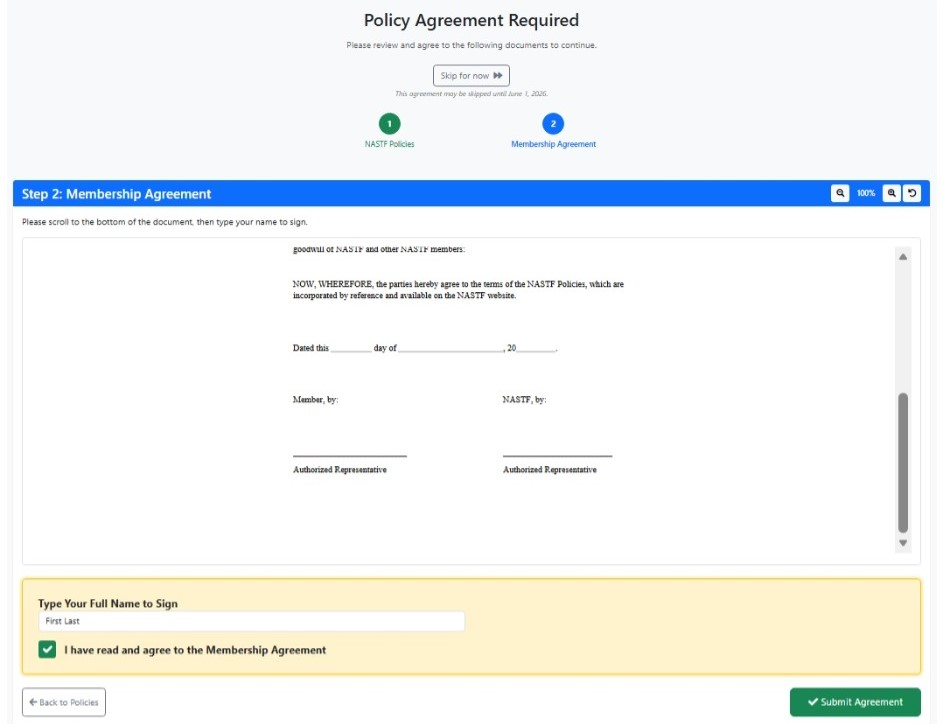
5. Click “Submit Agreement.”
Completion Confirmation
Once submitted, your updated policy approval is complete, and you will retain uninterrupted access to your NASTF account.
If you experience any issues during this process, please contact NASTF Support for assistance.
Reminder: You may defer acceptance by selecting “Skip for now”, but all agreements must be completed no later than March 10, 2026.
Was this article helpful?
That’s Great!
Thank you for your feedback
Sorry! We couldn't be helpful
Thank you for your feedback
Feedback sent
We appreciate your effort and will try to fix the article